Web Portal
In Scicluster we provide a nice web portal using OnDemand to see and submit jobs, to browse, upload, download and copy files, to work with the terminal in the browser and more interestingly web-based access to the Jupyter that could be run in the compute nodes beautifully.
Logging in
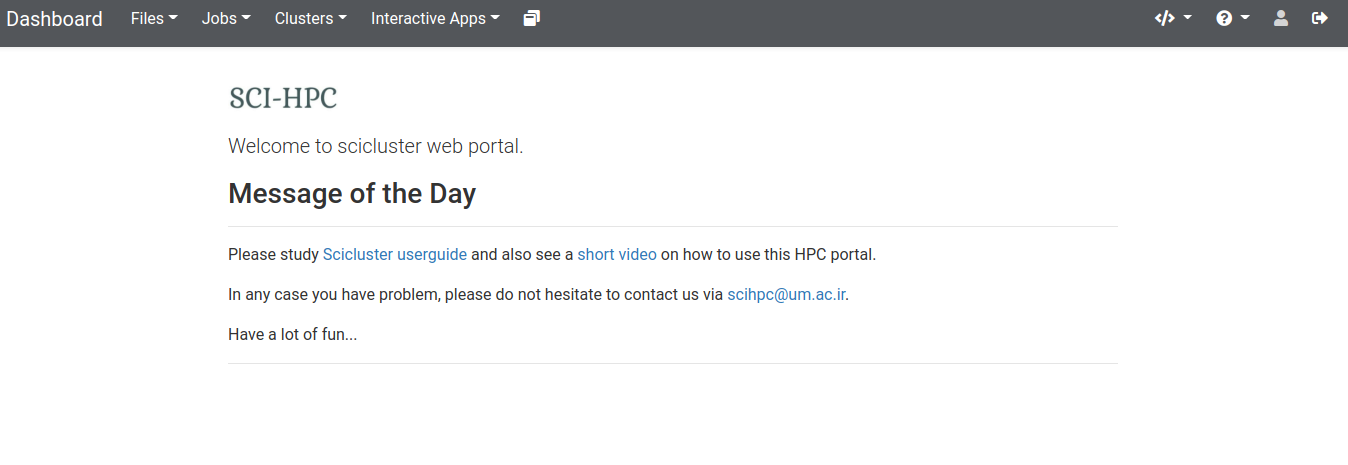
To login into the portal, you must have already a cluster account. Please connect to the VPN address provided to you, then go to this address in your web browser https://login-node . You may face with a potential security warning. This is because we do not get a registered certificate. This is not important and you could go one. After this part, you should be able to see the welcome page
Preparing OnDemand Folder
The OnDemand web portal makes a folder in your home directory once you login for the first time and saves its files there. As the home quota is very limited, it is a good practice to move this folder to /work8/your_username and make a link to this now dislocated ~/ondemand folder. So do
mv ~/ondemand /work8/$USER/ondemand
ln -sr /work8/$USER/ondemand ~/ondemand
Note
If you have problem with the portal, first try to log out and login again. Next, try to clear all cookies for the domain login-node. Finally, try the Help > Restart Web Server link to restart the portal.
Portal Dashboard
The dashboard has different menus. Here we explain them but not with detail.
Files
Home Directory - Here, you can browse, see and edit your files in the frontend node. For editing files, there is a nice web-based editor.
/work8/your_username - Your disk space on
/work8.
If you have assigned disk space on other cluster storages, they should also be appeared in the menu.
Jobs
Active Jobs - List all and delete your jobs.
Job Composer - Start a new job.
Clusters
Shell Access - Shell access in your browser.
Interactive Apps
Computational containerized Desktops - Start virtual desktops on the HPC (e.g. for plotting your data).
Jupyter - Run Jupyter on the HPC and easily connect to it from your browser without setting up any SSH tunnels.
My Interactive Sessions
See details of your currently running interactive sessions.
Help
Restart Web Server - Try this if the portal acts weird before contacting us. The web portal runs a web server per user, so this does not affect any other user.
Log Out
Log out of the portal.